How to Open a Business Bank Account — Comparison and Guide
Opening a business bank account is one of those tasks that sits on your to-do list for far too long. You know you should do it, but there are so many options, the comparison feels overwhelming, and your personal account has been working just fine... hasn't it?
Well, sort of. But separating your business and personal finances is one of the smartest things you can do as a sole trader. It simplifies your bookkeeping, makes tax returns far less stressful, and looks more professional to clients and HMRC alike. In this guide, we'll compare the main options and walk you through the process of actually opening an account.
Do You Legally Need a Business Bank Account?
Let's clear this up straight away: if you're a sole trader, there is no legal requirement to have a separate business bank account. HMRC doesn't mandate it. You can, in theory, run your business finances through your personal account.
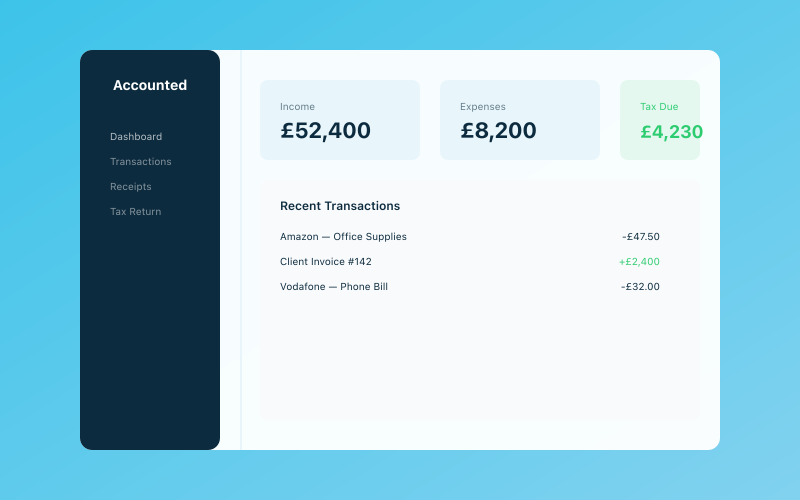 Your Accounted dashboard — income, expenses, and tax at a glance
But just because you can doesn't mean you should.
Here's why separating your finances matters:
- Cleaner bookkeeping. When all your business transactions are in one place, reconciling your accounts is dramatically easier. No more scrolling through personal purchases trying to work out which Tesco trip was for cleaning supplies and which was for your weekly shop.
- Easier tax returns. Come January (or throughout the year with quarterly submissions under MTD), you'll thank yourself for having a clear record of business income and expenses.
- Professional image. Receiving payments into an account in your business name looks more professional than asking clients to pay "J. Smith."
- HMRC compliance. If HMRC ever investigates your affairs, having separate accounts makes the process far simpler and less intrusive. Mixed accounts give investigators more to sift through — and more opportunity to question things.
For a deeper dive into whether you specifically need one, have a look at our article on whether sole traders need a business bank account.
What to Look For in a Business Bank Account
Before we compare specific accounts, here are the features that matter most for sole traders:
Monthly fees (or lack thereof) Some accounts are completely free; others charge a monthly fee. Free accounts often come with transaction limits, so check whether the free tier covers your likely usage.
Transaction fees Pay attention to charges for receiving payments, making transfers, cash deposits, and cash withdrawals. If your business handles a lot of cash (trades, market stalls, food vendors), cash deposit fees are particularly important.
Integration with accounting software The best business bank accounts connect seamlessly with bookkeeping tools. This means your transactions can be imported automatically, saving you hours of manual data entry. Accounted, for instance, works beautifully with bank feeds — Penny can categorise transactions as they come in, keeping your books up to date without you lifting a finger.
Mobile app quality As a sole trader, you'll be managing your finances on the go. A well-designed mobile app isn't a luxury — it's essential.
Invoicing features Some business accounts include built-in invoicing. This can be convenient, though dedicated bookkeeping tools generally offer more flexibility and professional-looking invoices.
Customer support When something goes wrong with your business banking, you need help quickly. Check whether support is available by phone, chat, or email, and during what hours.
Comparing the Top Business Bank Accounts for Sole Traders
Here's how the main options stack up in 2026:
Starling Bank Business
- Monthly fee: Free
- Transaction fees: No fees for UK transfers. Free cash deposits up to £1,000/month (then 0.7%).
- Highlights: Excellent mobile app, real-time notifications, automatic categorisation of spending, seamless integration with accounting software. The free plan is genuinely generous.
- Best for: Sole traders who want a no-cost, modern banking experience.
Tide
- Monthly fee: Free plan available (paid plans from £9.99/month)
- Transaction fees: No fees for bank transfers. Cash deposits via PayPoint (£1 per deposit).
- Highlights: Built-in invoicing, automatic receipt scanning, expense categorisation. Designed specifically for small businesses and sole traders.
- Best for: Sole traders who want an all-in-one business finance tool.
Mettle (by NatWest)
- Monthly fee: Free
- Transaction fees: No fees for standard transactions.
- Highlights: Backed by NatWest, free invoicing, VAT estimation tools. Clean, simple interface.
- Best for: Sole traders who want the reassurance of a high-street bank's backing without the fees.
HSBC Kinetic
- Monthly fee: Free for the first 12 months (then £6.50/month)
- Transaction fees: Included in the monthly fee (after the free period).
- Highlights: High-street bank with branch access, business credit options, and a solid mobile app.
- Best for: Sole traders who value branch access and traditional banking.
Monzo Business
- Monthly fee: Free plan available (Pro plan at £5/month)
- Transaction fees: No fees for bank transfers. Cash deposits at PayPoint (£1 per deposit, up to £1,000/day).
- Highlights: Excellent app, instant notifications, pots for separating money (ideal for setting aside tax), integration with accounting tools.
- Best for: Sole traders already familiar with Monzo's personal banking.
Lloyds Bank Business Account
- Monthly fee: Free for the first 12 months (then £7/month)
- Transaction fees: Varies — electronic payments often free, cash deposits from 70p per £100.
- Highlights: Extensive branch network, established reputation, access to business loans and overdrafts.
- Best for: Sole traders in cash-heavy industries who need regular branch access.
For a more detailed comparison, including our picks for different types of business, see our best business bank accounts for 2026.
How to Open a Business Bank Account — Step by Step
The process is straightforward, but it helps to know what to expect.
1. Choose your account. Based on the comparison above, pick the account that best fits your business needs. Consider your monthly transaction volumes, whether you handle cash, and how important branch access is to you.
2. Gather your documents. You'll typically need:
- Proof of identity (passport or driving licence)
- Proof of address (utility bill or council tax bill, usually dated within the last three months)
- Your National Insurance number
- Your business details (trading name, nature of business, estimated turnover)
- Your Unique Taxpayer Reference (UTR) — though not all banks require this at the application stage
If you haven't registered as self-employed yet, do that first. Our guide on registering as self-employed with HMRC walks you through it.
3. Apply online (or in branch). Most digital banks let you apply entirely online or through their app, with approval often coming within minutes. Traditional banks may require a branch visit, and the process can take a few days to a couple of weeks.
4. Verify your identity. You'll usually need to upload photos of your ID documents and, for app-based banks, take a selfie or record a short video for identity verification.
5. Fund your account. Once approved, transfer a small amount from your personal account to activate your new business account.
6. Set up your integrations. Connect your new account to your bookkeeping software. If you're using Accounted, you can set up a bank feed that imports transactions automatically, and Penny will help categorise them as they arrive. This is one of the most valuable steps you can take — it turns your bank account from a passive repository into an active part of your financial management.
Tips for Managing Your Business Bank Account
Opening the account is just the start. Here's how to use it effectively:
- Pay yourself a regular "salary." Even though sole traders don't technically draw a salary, transferring a consistent amount to your personal account each month helps you budget and keeps your business funds separate.
- Set aside money for tax. A good rule of thumb is to put 25–30% of your income into a separate pot or savings account for your tax bill. Many digital banks let you create "pots" or sub-accounts for exactly this purpose.
- Don't mix personal and business spending. The whole point of having a separate account is separation. Use your business card only for business purchases, and keep personal spending on your personal account.
- Review your transactions regularly. Even if your bookkeeping tool does most of the categorisation automatically, a quick weekly check helps you catch any errors or unexpected charges.
- Keep your contact details and business information up to date. If you change address, phone number, or trading name, update your bank promptly.
What About a Second Account or a Savings Account?
Some sole traders find it useful to have a second account — one for day-to-day transactions and one for setting aside tax. If your bank offers pots or sub-accounts, these serve the same purpose without the hassle of managing a completely separate account.
A business savings account can also be worthwhile if you're building up a cash reserve. Interest rates on business savings accounts vary, but even a modest return is better than leaving money sitting in a current account earning nothing.
Just remember that interest earned on business savings is taxable income, so make sure it's recorded in your bookkeeping.
Opening a Business Bank Account Is Simpler Than You Think
The hardest part of getting a business bank account is usually just making the decision and getting started. The actual process — especially with digital banks — is often quicker than ordering something online. And the benefits to your bookkeeping, your tax returns, and your peace of mind are immediate.
Once your business finances are flowing through a dedicated account and connected to a tool like Accounted, you'll wonder why you didn't do it sooner.
Related reading:
- Do I Need a Business Bank Account as a Sole Trader?
- Best Business Bank Accounts 2026
- How to Register as Self-Employed With HMRC
Accounted helps UK sole traders stay on top of their bookkeeping and tax. Start your free 30-day trial at getaccounted.co.uk
Related Reading
- DIY Bookkeeping vs Hiring a Bookkeeper — The Real Costs
- When to Hire Help — Signs Your Business Is Ready to Grow
Start your free trial and see how Accounted simplifies your bookkeeping.
Accounted keeps your books sorted automatically so you can focus on running your business. See Accounted →
Business & Operations Advisors
Our business advisors cover the practical side of running a UK sole trader business — from HMRC registration to managing growth. Content is written for real business owners in plain English, not accountants.
Ready to try Accounted?
Join UK sole traders who are simplifying their bookkeeping and tax.
Start your 14-day free trial