Client Onboarding — How to Start New Projects Professionally
The First Impression You're Probably Overlooking
You've won the work. The client said yes to your proposal, and you're ready to get started. But what happens between "yes" and actually beginning the project is where many sole traders and freelancers drop the ball.
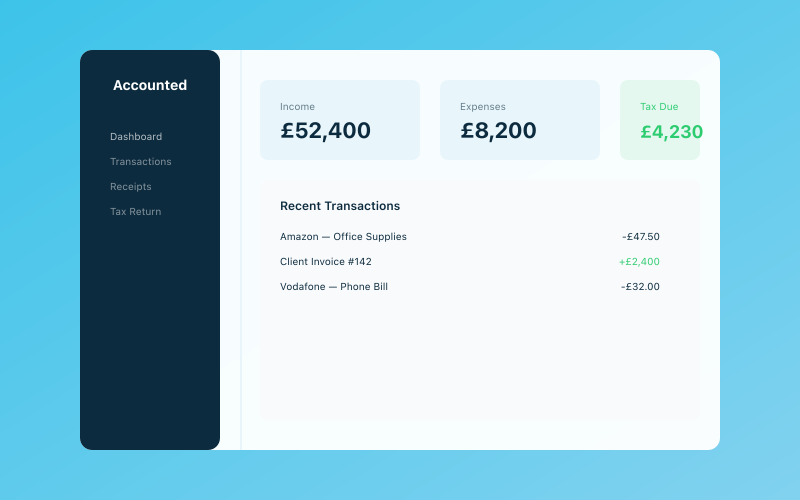 Your Accounted dashboard — income, expenses, and tax at a glance
Think about the last time you signed up for a service — maybe a gym, a software subscription, or a new phone contract. The best experiences had a clear onboarding process: a welcome message, a quick setup, clear information about what happens next. The worst left you wondering "now what?" and feeling a bit uneasy about whether you'd made the right decision.
Your clients feel the same way. The period between agreeing to work together and the work actually starting is when buyer's remorse is most likely to creep in. A solid onboarding process prevents that, sets the project up for success, and immediately establishes you as someone who runs a professional operation.
Welcome Pack Essentials
A welcome pack doesn't need to be elaborate — it's a document (or email) that gives your new client everything they need to know about working with you.
What to Include
A warm welcome message — thank them for choosing you, express your excitement about the project, and set the tone for the working relationship.
Key contact information — your email, phone number, and preferred communication hours. If you have an assistant or use a project management tool, include those details too.
How you work — a brief overview of your process. What happens first? How often will you be in touch? What does a typical week look like during the project?
Important dates — project start date, key milestones, expected completion date.
What you need from them — any information, access, materials, or decisions they need to provide before you can begin.
FAQs — common questions new clients have. "What if I need to change the scope?" "How do I send you files?" "What happens if I'm not happy with something?" Addressing these upfront saves dozens of emails later.
Format Options
- PDF — looks professional, easy to attach to an email
- Notion or Google Docs page — interactive, easy to update, shareable via link
- Email — simplest option for straightforward projects
- Physical pack — impressive for high-value clients, but not necessary for most sole traders
Contracts and Agreements
Let's address the elephant in the room: many sole traders don't use contracts. They shake hands, exchange a few emails, and hope for the best. This works until it doesn't — and when it doesn't, it can be expensive.
Why You Need a Contract
A contract protects both you and your client. It's not about distrust — it's about clarity. A good contract answers every "but I thought..." question before it's asked.
Without a contract, you have no legal basis for chasing unpaid invoices, no defined scope to prevent creep, no agreed timeline for either party, and no clear process for resolving disputes.
What Your Contract Should Cover
Scope of work — what you're delivering, in specific terms. "Design and build a 5-page website" is much better than "create a website." List exactly what's included and, importantly, what's not.
Timeline — start date, milestone dates, and completion date. Include what happens if either party causes delays.
Payment terms — how much, when, and how. "50% deposit due before work begins. Remaining 50% due within 14 days of project completion. Payment by bank transfer."
Revisions and changes — how many rounds of revisions are included? What happens if the client wants to change the scope mid-project? How are additional costs communicated and approved?
Intellectual property — who owns the finished work? When does ownership transfer? (Usually upon full payment.)
Cancellation — what happens if either party needs to cancel? Is the deposit refundable? What about work already completed?
Liability — reasonable limitations on your liability if something goes wrong.
Confidentiality — a mutual agreement not to share each other's sensitive business information.
Getting a Contract Without a Solicitor
You don't need to spend £500 on a bespoke contract for every project. Several options exist:
- Industry templates — many professional associations provide contract templates for their members
- Online template services — platforms like Docue, Rocket Lawyer, or LawBite offer customisable contract templates from around £20-50
- Proposal tools — some digital proposal platforms include contract and e-signature features built in
Once you have a solid template, you can adapt it for each new client and project.
Payment Terms and Deposits
Getting your payment terms right from the start prevents headaches later. This is one area where being upfront and clear is far better than being vague and "flexible."
Standard Payment Structures
Milestone-based (recommended for most projects):
- 50% deposit before work begins
- 25% at midpoint milestone
- 25% on completion
Phased:
- Payment at the completion of each defined phase
- Works well for longer projects with distinct stages
Monthly retainer:
- Fixed monthly fee for ongoing work
- Great for maintenance, marketing, or advisory relationships
On completion (use cautiously):
- Full payment due when work is delivered
- Only advisable for very small projects or established client relationships
The Deposit Conversation
Some clients push back on deposits. Here's how to handle it:
"I require a 50% deposit before starting any project. This secures your place in my schedule, covers the initial research and setup costs, and demonstrates mutual commitment to the project. The remaining balance is due on completion."
If a client won't pay a deposit, that's a significant red flag. It suggests they may have cash flow problems or don't fully value your work — either way, proceed with caution.
Invoice Promptly
The moment a milestone is reached or work is completed, send your invoice immediately. Every day you delay sending an invoice is a day added to when you'll get paid. Tools like Accounted make this straightforward — you can create and send professional invoices in minutes, and Penny will track which ones are paid and which need chasing.
Setting Expectations
The number one cause of client dissatisfaction isn't poor quality work — it's mismatched expectations. The client expected something different from what you delivered, or they expected it sooner, or they expected more revisions, or they expected you to be available at weekends.
Communication Expectations
Be explicit about:
- Response times — "I respond to emails within 24 hours on working days"
- Availability — "I work Monday to Friday, 9am to 5.30pm. I don't check messages outside these hours"
- Communication channels — "Email for project updates, phone for urgent matters, no DMs on social media please"
- Meeting frequency — "We'll have a 30-minute check-in call every Friday at 2pm"
Deliverable Expectations
Be equally explicit about:
- What "done" looks like — define acceptance criteria for each deliverable
- Review periods — "You'll have 5 working days to review each deliverable and provide feedback"
- Feedback format — "Please compile all feedback into a single document rather than sending separate emails"
- Sign-off process — "Each phase requires your written sign-off before we proceed to the next"
Timeline Expectations
- Your responsibilities — "I'll deliver Phase 1 by 20th March"
- Their responsibilities — "I need your brand guidelines and logo files by 10th March to stay on schedule"
- Impact of delays — "If feedback is delayed by more than 5 working days, the project completion date will shift accordingly"
Collecting Client Information
Most projects require information from the client before you can start. The smoother this process, the faster you can begin.
Create a Client Information Form
Rather than sending a string of emails asking for different things, create a single form that captures everything you need. Google Forms works fine, or you can use Typeform, Jotform, or even a simple checklist in your welcome pack.
Common information to collect:
- Full business name and trading name
- Business address and registered address (if different)
- Key contact person, email, and phone number
- Company registration number and VAT number (if applicable)
- Brand guidelines, logos, and existing materials
- Login credentials for relevant accounts (shared securely via a password manager, not email)
- Specific project requirements and preferences
- Any deadlines tied to external events (launches, seasons, etc.)
Following Up on Missing Information
Set a deadline for the client to provide the information you need, and make it clear that missing information will delay the project start. A friendly reminder at the 50% mark ("Just a reminder that I'll need your logo files by Friday to stay on track") is perfectly appropriate.
Project Management Basics
You don't need complex project management software, but you do need some way of tracking what's happening. A shared Google Doc, Trello board, or Notion page works well. Track tasks, decisions, shared files, and changes to scope or budget. This documentation protects you if there's ever a dispute about what was agreed.
Red Flags to Watch For
Experience teaches you to spot problematic clients early. Warning signs during onboarding include resistance to signing a contract, pushing back on deposits, wanting everything immediately, vague requirements ("I'll know what I want when I see it"), contacting you at all hours, speaking badly about previous providers, and questioning your rates.
One red flag isn't necessarily a deal-breaker. Two or three together should make you pause. Trust your instincts — if something feels off during onboarding, it rarely gets better once the project is underway. You can always politely decline: "Thanks for considering me — I don't think I'm the best fit, but I'd recommend reaching out to..."
Building Your Onboarding Checklist
Here's a step-by-step checklist to follow each time you bring on a new client:
Before Starting Work
- [ ] Proposal accepted (written confirmation)
- [ ] Contract sent and signed by both parties
- [ ] Deposit invoice sent and paid
- [ ] Welcome pack or email sent
- [ ] Client information form completed
- [ ] Project management space set up
- [ ] Kick-off meeting scheduled
During Kick-Off Meeting
- [ ] Confirm project scope and deliverables
- [ ] Agree communication preferences and frequency
- [ ] Review timeline and key milestones
- [ ] Identify any blockers or dependencies
- [ ] Confirm any outstanding information needed
After Kick-Off
- [ ] Send meeting notes and action items
- [ ] Begin work on Phase 1
- [ ] Set calendar reminders for milestones and check-ins
- [ ] Add client to your accounting software for invoicing
Speaking of which — adding new clients to Accounted from the start means your invoicing, income tracking, and financial records are tidy from day one. It's much easier than trying to sort everything out after the project is finished, which is how bookkeeping problems tend to accumulate.
The Payoff of Professional Onboarding
Investing time in your onboarding process pays dividends in several ways:
- Fewer disputes because expectations are clear from the start
- Faster project starts because you're not chasing information for weeks
- Better client relationships because they feel looked after and confident
- More referrals because clients notice when you run a professional operation
- Less stress because you have a repeatable system rather than winging it each time
Your onboarding process doesn't need to be perfect from day one. Start with the basics — a contract, a welcome email, and clear payment terms — and refine it with each new client based on what works and what doesn't.
Related Reading
Start your free trial and see how Accounted simplifies your bookkeeping.
Accounted keeps your books sorted automatically so you can focus on running your business. See Accounted →
Business & Operations Advisors
Our business advisors cover the practical side of running a UK sole trader business — from HMRC registration to managing growth. Content is written for real business owners in plain English, not accountants.
Ready to try Accounted?
Join UK sole traders who are simplifying their bookkeeping and tax.
Start your 14-day free trial