How to Create a Professional Invoice (With Free Template)
There's something deeply satisfying about sending an invoice. It means you've done the work, delivered the goods, and now it's time to get paid. But if your invoice looks like it was thrown together in five minutes on a Word document (because, let's be honest, it was), it can undermine the professional image you've worked hard to build.
A well-crafted invoice does more than request payment. It sets clear expectations, reduces the chance of disputes, and makes it easier for your client's accounts team to process your payment quickly. In short, better invoices mean faster payments — and who doesn't want that?
Let's walk through exactly what you need to include, common pitfalls to avoid, and how to create invoices that look polished and get paid promptly.
What Must Go on a UK Invoice?
If you're a sole trader in the UK, HMRC has specific requirements for what your invoices should include. Miss any of these and you could face issues down the line — especially if you're VAT-registered.
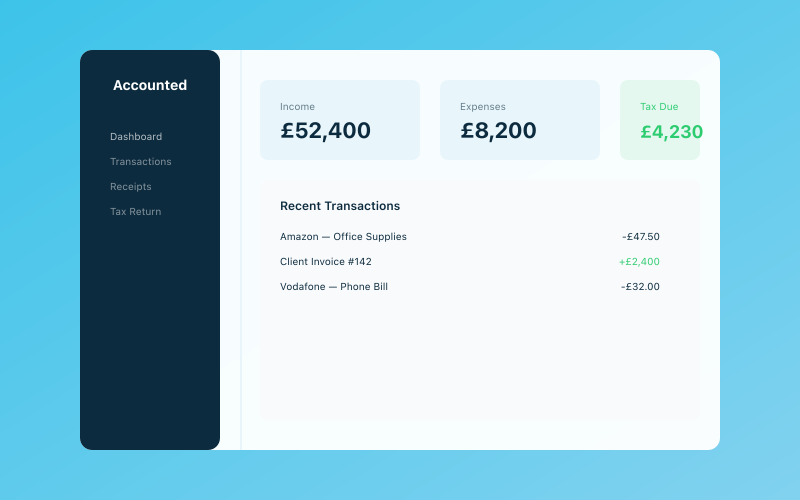 Your Accounted dashboard — income, expenses, and tax at a glance
Standard invoice requirements
Every invoice you send should include:
- Your name or business name — The name you trade under
- Your contact details — Address, email, and phone number
- The client's name and address — Who you're billing
- A unique invoice number — Sequential numbers are the easiest approach (INV-001, INV-002, etc.)
- The invoice date — When you're issuing the invoice
- A payment due date — When you expect to be paid (e.g., 14 days, 30 days)
- A clear description of goods or services — What you did and when
- The amount charged — Broken down by item or service if applicable
- The total amount due — Including any VAT if you're registered
- Your payment details — Bank account details, or other accepted payment methods
Additional requirements for VAT-registered sole traders
If your turnover exceeds the VAT threshold of £90,000 (or you've voluntarily registered), your invoices must also include:
- Your VAT registration number
- The VAT rate charged on each item
- The total VAT amount
- The total amount excluding VAT
For a deeper dive into VAT invoicing rules, take a look at our guide on how to invoice correctly in the UK.
Choosing Your Invoice Numbering System
Your invoice numbers need to be unique and sequential — HMRC requires this. But beyond that basic rule, you've got some flexibility in how you structure them.
Common approaches
- Simple sequential — INV-001, INV-002, INV-003. Straightforward and easy to track.
- Year-based — 2026-001, 2026-002. Useful if you want to see at a glance which tax year an invoice belongs to.
- Client-based — ABC-001, ABC-002 (where ABC is a client code). Handy if you have a small number of regular clients.
- Project-based — PROJ-WEB-001, PROJ-WEB-002. Good for larger projects with multiple invoices.
Whichever system you choose, stick with it consistently. Gaps in your invoice numbering can raise eyebrows during an HMRC inspection, so don't skip numbers or go back and change them.
Setting Your Payment Terms
Your payment terms tell the client when you expect to be paid. The most common options are:
- Due on receipt — Payment expected immediately
- Net 7 — Payment due within 7 days
- Net 14 — Payment due within 14 days
- Net 30 — Payment due within 30 days
There's no legal requirement to offer 30-day terms, despite what some clients might tell you. If you're a small sole trader and cash flow is important (when is it not?), shorter payment terms are perfectly reasonable.
Be explicit about your terms. "Payment due within 14 days of invoice date" is much clearer than "please pay promptly." And if you charge late payment fees, state that on the invoice too.
For more strategies on reducing payment delays, our article on getting paid faster as a small business is packed with practical tips.
Designing Your Invoice
Your invoice doesn't need to win design awards, but it should look clean, professional, and easy to read. Here are some design principles to follow:
Keep it clean and scannable
- Use a clear, readable font (avoid anything too decorative)
- Include plenty of white space — don't cram everything together
- Make the total amount due prominent and easy to find
- Use a logical layout that flows from top to bottom
Brand it (but don't overdo it)
- Add your logo at the top if you have one
- Use your brand colours sparingly — perhaps for headings or the header bar
- Keep the overall design professional, not flashy
Make payment details obvious
The most important part of your invoice (apart from the amount) is how to pay you. Make your bank details or payment link impossible to miss. Consider putting them in a highlighted box or at both the top and bottom of the invoice.
Free Invoice Template
Here's a simple template structure you can use as a starting point:
[Your Business Name / Logo]
[Your Name] [Your Address] [Your Email] | [Your Phone]
INVOICE
Invoice Number: INV-001 Invoice Date: 01 March 2026 Payment Due: 15 March 2026
Bill To: [Client Name] [Client Address]
| Description | Quantity | Unit Price | Amount | |---|---|---|---| | [Service/product description] | [Qty] | [Price] | [Total] | | [Service/product description] | [Qty] | [Price] | [Total] |
Subtotal: £X,XXX.XX VAT (20%): £XXX.XX (if applicable) Total Due: £X,XXX.XX
Payment Details: Bank: [Your Bank] Sort Code: XX-XX-XX Account Number: XXXXXXXX Reference: INV-001
Payment Terms: Payment due within 14 days of invoice date.
You can recreate this in Google Docs, Word, or any free design tool like Canva. Or better yet, use invoicing software that generates professional invoices automatically — most bookkeeping apps include this feature as standard.
Common Invoice Mistakes to Avoid
Even experienced sole traders make these errors. A quick checklist before you hit send:
1. Vague descriptions
"Consulting services — £500" tells your client almost nothing. Be specific: "Brand strategy workshop (3 hours) — 15 February 2026 — £500." Detailed descriptions reduce queries and speed up approval.
2. Missing payment details
You'd be surprised how many invoices go out without bank details. If clients have to email you asking how to pay, that's an extra delay you don't need.
3. No payment due date
"Please pay when convenient" is an invitation to be paid never. Always include a specific due date.
4. Not following up
Sending an invoice and hoping for the best isn't a strategy. If payment hasn't arrived by the due date, follow up politely but promptly. A friendly reminder on the day it's due, then a firmer follow-up a week later. For more on this, read our guide on how to handle late-paying clients.
5. Inconsistent numbering
Jumping from INV-015 to INV-020 raises questions. Keep your numbering sequential with no gaps.
6. Forgetting to record it
Every invoice you send should be recorded in your bookkeeping system. This ensures your income is accurately tracked for Self Assessment and — if applicable — your quarterly MTD submissions. If you use Accounted, invoices are automatically logged and matched to payments, so nothing slips through the cracks.
Should You Use Invoicing Software?
In a word: yes. While there's nothing wrong with a well-formatted Word or Google Docs template, dedicated invoicing software offers significant advantages:
- Automatic numbering — No more manually tracking invoice numbers
- Payment tracking — See at a glance which invoices are paid, pending, or overdue
- Automatic reminders — Chase late payments without lifting a finger
- Professional templates — Consistent, branded invoices every time
- Integration with bookkeeping — Invoices automatically feed into your financial records
- Online payments — Let clients pay by card or bank transfer with a single click
The time savings alone make it worthwhile. Instead of spending 20 minutes formatting each invoice, you can generate one in under a minute and get back to billable work.
A Note on Tax and Invoicing
Remember that as a sole trader, you'll pay Income Tax on your profits (revenue minus allowable expenses). For the 2025/26 tax year, the key rates are:
- Personal Allowance: £12,570 (tax-free)
- Basic rate: 20% on income from £12,571 to £50,270
- Higher rate: 40% on income from £50,271 to £125,140
Your invoices form a crucial part of your income records. HMRC expects you to keep copies of all invoices you send for at least five years, so make sure your system — whether digital or paper — is up to the job.
If you're not sure what counts as an allowable expense that can reduce your tax bill, have a look at our sole trader expenses guide.
Wrapping Up
A professional invoice isn't just about aesthetics — it's about getting paid correctly and on time. Take a few minutes to set up a solid template or choose a good invoicing tool, and you'll save yourself hours of hassle throughout the year.
The key ingredients are simple: clear descriptions, correct details, prominent payment information, and consistent follow-up. Get those right and you'll spend less time chasing payments and more time doing the work you love.
Accounted helps UK sole traders stay on top of their bookkeeping and tax. Start your free 30-day trial at getaccounted.co.uk.
Related reading:
- How to Invoice as a Sole Trader
- Getting Paid Faster as a Small Business
- How to Handle Late-Paying Clients (Without Ruining Relationships)
Related Reading
- How to Deal With Scope Creep (And Protect Your Profits)
- Sustainable Business Practices That Also Save You Money
Start your free trial and see how Accounted simplifies your bookkeeping.
Accounted keeps your books sorted automatically so you can focus on running your business. See Accounted →
Business & Operations Advisors
Our business advisors cover the practical side of running a UK sole trader business — from HMRC registration to managing growth. Content is written for real business owners in plain English, not accountants.
Ready to try Accounted?
Join UK sole traders who are simplifying their bookkeeping and tax.
Start your 14-day free trial