MTD Software — What to Look For and What to Avoid
With Making Tax Digital for Income Tax Self Assessment (MTD for ITSA) now a reality for many sole traders and landlords, choosing the right software has become one of the most important financial decisions you'll make for your business. Get it right and MTD becomes a manageable — even beneficial — part of your routine. Get it wrong and you're looking at frustration, wasted time, and potentially costly mistakes.
There are dozens of MTD-compatible software options on the market, ranging from free basic tools to fully featured accounting platforms. So how do you sort the good from the bad? Let's walk through exactly what to look for — and what to steer well clear of.
What MTD Software Actually Needs to Do
Before we talk about nice-to-have features, let's establish the baseline. To be compliant with MTD for Income Tax, your software must:
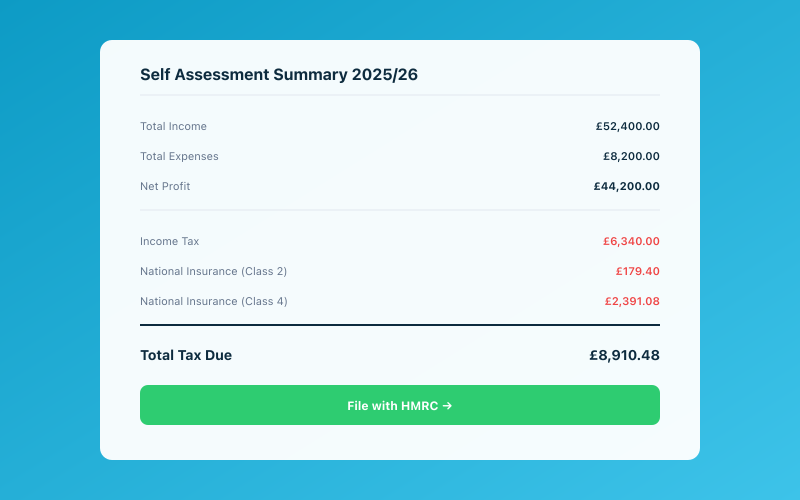 Your Accounted dashboard shows your real-time tax position
- Maintain digital records of your income and expenses.
- Submit quarterly updates to HMRC (summaries of your income and expenses for each quarter).
- Submit an End of Period Statement (EOPS) confirming the figures for the tax year.
- Submit a Final Declaration — which replaces the traditional Self Assessment return.
Any software you choose must be able to do all four of these things. HMRC maintains a list of compatible software on gov.uk, and you should only consider products that appear on it.
For a broader overview of what MTD involves, have a look at our complete guide to Making Tax Digital.
Features to Look For
Beyond basic compliance, the best MTD software will make your life easier in ways that go well beyond filing requirements.
Automatic Bank Feeds
This is arguably the single most important feature. Software that connects directly to your bank account and pulls in transactions automatically saves you hours of manual data entry. Instead of typing in every payment and receipt, you simply review and categorise what's already there.
Look for software that supports your specific bank — most major UK banks are covered by the big platforms, but if you use a smaller or business-specific account, check first.
Smart Transaction Categorisation
Once your bank transactions are flowing in, the software should help you categorise them. The best tools use rules or AI to suggest categories based on the merchant name, amount, or your previous categorisation choices.
This is where tools vary enormously. Some offer basic rule-based matching. Others, like Penny in Accounted, use AI to intelligently categorise transactions based on context — learning from your patterns and getting more accurate over time.
Receipt Capture and Storage
HMRC requires you to keep evidence of your expenses. Software that lets you photograph receipts with your phone and attach them to transactions keeps everything in one place. No more shoeboxes. No more lost paper receipts.
Check whether the app uses OCR (optical character recognition) to extract details from receipt photos automatically. This saves you from manually entering the supplier name, date, and amount.
VAT Support
If your turnover exceeds the VAT registration threshold of £90,000, you'll need to be VAT registered. Good MTD software handles VAT alongside income tax — tracking which transactions are VATable, calculating your VAT return, and submitting it to HMRC digitally.
Even if you're not VAT registered now, choosing software that supports VAT means you won't need to switch if your business grows past the threshold.
Multi-Income Source Support
Many MTD users have more than one income source — perhaps self-employment plus rental income. Your software needs to handle this properly, keeping the income streams separate while still giving you a complete picture of your finances.
Check that the software can manage multiple businesses or property portfolios within a single account. Some tools charge extra for this; others include it as standard.
Quarterly Reporting Dashboard
Since MTD requires quarterly submissions, your software should make it easy to see where you stand at any point in the quarter. A clear dashboard showing your income, expenses, and estimated tax for the current period helps you stay on top of things and avoid surprises.
Year-End and Final Declaration Support
The software should guide you through the End of Period Statement and Final Declaration processes. Ideally, it should flag any missing information, prompt you to review your figures, and handle the submission to HMRC with minimal fuss.
Red Flags to Avoid
Not all MTD software is created equal. Here are the warning signs that should make you think twice.
No HMRC Recognition
If the software doesn't appear on HMRC's official list of compatible providers, walk away. Using unrecognised software puts you at risk of non-compliance, and you'll have no recourse if submissions fail or data is lost.
Hidden Pricing
Some providers advertise a low monthly fee but then charge extra for essential features — bank feeds, receipt scanning, quarterly submissions, or support. Make sure you understand the total cost of ownership, not just the headline price.
Ask yourself: what does the monthly fee actually include? Will I need to pay more when it's time to submit my quarterly update? Are there limits on the number of transactions or bank connections?
No Bank Feed Integration
If the software requires you to manually enter every transaction, it's not worth your time. Manual entry is not only tedious — it's also error-prone. In 2026, automatic bank feeds should be considered a basic requirement, not a premium feature.
Poor Mobile Experience
You shouldn't need to be at a desk to manage your bookkeeping. If the software doesn't have a functional mobile app — or if the app is a clunky afterthought — that's a problem. You should be able to photograph receipts, check your dashboard, and review transactions from your phone.
Complicated Interface
MTD software is meant to simplify your life, not add complexity. If you need to watch tutorial videos just to record a basic expense, the software is too complicated. Look for clean, intuitive interfaces that non-accountants can use comfortably.
No Support or Slow Response Times
When something goes wrong — and at some point, something will — you need to be able to get help quickly. Check what support options are available. Is there live chat? Email support? Phone support? What are the response times?
Read reviews from other users about their support experiences. A beautiful interface means nothing if you can't get help when you're stuck on a quarterly submission deadline.
Lock-In and Data Export
Can you get your data out if you decide to switch? Some providers make it unnecessarily difficult to export your records, effectively locking you in. Good software lets you export your data in standard formats (CSV, Excel, or similar) at any time.
Questions to Ask Before You Commit
Before choosing your MTD software, run through this checklist:
- Is it on HMRC's list of recognised software? Non-negotiable.
- Does it connect to my bank? Check your specific bank, not just "all major banks."
- What's the real monthly cost? Including all the features you'll actually use.
- Can it handle my situation? Multiple income sources, VAT if applicable, the specific type of business you run.
- Is there a free trial? Always test before you commit. Most reputable providers offer at least 14 days.
- What's the support like? Try contacting support during your trial to test response times.
- Can I export my data? Make sure you're not locked in.
- Does my accountant support it? If you work with an accountant, check they're comfortable with the platform. Many accountants have preferred software and may even get you a discount.
Spreadsheets and Bridging Software
If you're a committed spreadsheet user, you might be wondering whether you can keep using Excel or Google Sheets for your records and just use "bridging software" to submit to HMRC. The answer is yes — technically. But there are caveats.
Bridging software connects your spreadsheet to HMRC's systems, allowing you to submit quarterly updates without switching to a dedicated accounting platform. However, this approach means you're still responsible for maintaining accurate digital records in your spreadsheet, and there are strict rules about what HMRC considers acceptable. Our guide on MTD and Excel spreadsheets goes into this in detail.
For most people, dedicated software is the better choice. It reduces the risk of errors, automates much of the work, and ensures your records meet HMRC's requirements by design.
Free vs. Paid Software
There are some free MTD-compatible tools available, and they can work well for very simple situations — a single income source with straightforward expenses. But free tools typically come with limitations: fewer bank connections, no receipt scanning, limited support, or caps on the number of transactions.
If your business is your livelihood, investing in a paid tool that saves you time and reduces errors is almost always worth it. The cost of MTD software — typically £10 to £30 per month — is an allowable business expense, so you'll get tax relief on it anyway.
For a detailed comparison of the options available, check our best MTD software for 2026 guide.
Making the Switch
If you're currently using one tool and thinking about switching, most MTD software providers offer migration support or import tools to bring across your existing data. The best time to switch is at the start of a new tax year, when you're starting fresh with a clean set of records.
That said, don't let the switching cost put you off if your current tool isn't working for you. A few hours of setup now can save you dozens of hours of frustration over the coming years. Tools like Accounted are designed to make onboarding as painless as possible, with guided setup and automatic bank connections that get you up and running quickly.
The Bottom Line
Choosing MTD software isn't just about compliance — it's about finding a tool that fits the way you work and makes managing your finances easier. Take the time to trial a few options, ask the right questions, and don't be swayed by flashy marketing over genuine functionality.
The right software will pay for itself many times over in time saved, errors avoided, and stress reduced.
Related reading:
- Best MTD Software for 2026
- Making Tax Digital — The Complete Guide
- MTD and Excel — Can You Still Use Spreadsheets?
Accounted helps UK sole traders stay on top of their bookkeeping and tax. Start your free 30-day trial at getaccounted.co.uk
Related Reading
See how Accounted handles MTD and start your free trial.
Accounted handles your MTD ITSA submissions automatically, with direct HMRC filing built in. See how MTD works in Accounted →
Tax & Compliance Specialists
Our tax specialists have decades of combined experience in UK sole trader and small business taxation, MTD compliance, and HMRC submissions. All content is reviewed against current HMRC guidance before publication and updated quarterly to reflect legislative changes.
Ready to try Accounted?
Join UK sole traders who are simplifying their bookkeeping and tax.
Start your 14-day free trial