MTD and Excel — Can You Still Use Spreadsheets?
If you've been managing your business finances in Excel or Google Sheets for years, the arrival of Making Tax Digital might feel like an unwelcome upheaval. You know your way around your spreadsheet. It works for you. Why should you have to change?
The good news is that HMRC hasn't banned spreadsheets. You can, under certain conditions, continue using them as part of your MTD compliance. But — and this is an important but — you can't use spreadsheets alone. You'll need additional software to submit your data to HMRC, and there are strict rules about how your records must be maintained.
Let's unpack exactly what you can and can't do with spreadsheets under MTD.
What HMRC Actually Requires
To comply with Making Tax Digital for Income Tax, you must:
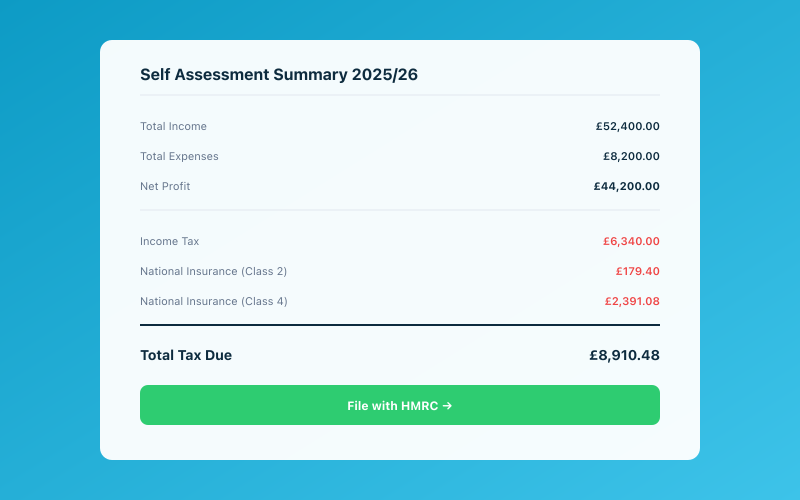 Your Accounted dashboard shows your real-time tax position
- Keep digital records of your income and expenses.
- Submit quarterly updates to HMRC through compatible software.
- Submit an End of Period Statement and Final Declaration at year-end.
HMRC requires that all submissions are made through functional compatible software that connects to their API. Excel and Google Sheets can't do this on their own — they have no way of talking to HMRC's systems directly.
This is where bridging software comes in.
What Is Bridging Software?
Bridging software is a tool that acts as a translator between your spreadsheet and HMRC's MTD system. You maintain your records in your spreadsheet as you normally would, and the bridging software reads the relevant data and submits it to HMRC in the required format.
Think of it as a plug-in or middleware. Your spreadsheet stays as your primary record-keeping tool; the bridging software simply handles the submission part.
Several providers offer bridging software specifically designed for MTD. Some are free, others charge a small fee. They typically work by:
- Reading specific cells in your spreadsheet (you'll need to lay out your data in a format the bridging software can understand).
- Mapping that data to HMRC's required categories.
- Submitting the quarterly update, EOPS, or Final Declaration through HMRC's API.
For a full overview of the software landscape, see our guide on best MTD software for 2026.
The Digital Link Rules
Here's where things get more complex. HMRC requires that there be a digital link at every stage of the data journey — from the original source of the information right through to the submission to HMRC.
What Counts as a Digital Link?
A digital link is any electronic transfer of data between systems. Examples include:
- Importing a CSV file from your bank into your spreadsheet.
- Using formulas in Excel to calculate totals from raw data.
- The bridging software reading data directly from your spreadsheet.
- Copy-pasting between cells within the same spreadsheet (this is allowed).
What Doesn't Count?
The critical restriction is no manual re-keying of data. This means:
- You cannot look at a figure on your bank statement and type it into your spreadsheet. That's manual transcription, not a digital link.
- You cannot look at a receipt and manually enter the amount. The data needs to come into your digital system electronically.
Wait — that sounds like it rules out spreadsheets almost entirely, doesn't it? Let's clarify.
The Practical Reality
In practice, HMRC acknowledges that some manual entry is unavoidable — particularly for cash transactions or where electronic data feeds aren't available. The digital link requirement applies primarily to the flow of data between digital systems. If you're entering a cash transaction directly into your spreadsheet (the first point of digital entry), that's acceptable.
What's not acceptable is having data in one digital system (say, your online banking) and then manually typing those figures into another digital system (your spreadsheet). In that scenario, you should be importing the bank data electronically — via CSV download and import, for instance.
The distinction is subtle but important:
- First entry into any digital system: Manual entry is fine (you have to get the data in somehow).
- Transfer between digital systems: Must be electronic — no re-keying.
Setting Up Your Spreadsheet for MTD
If you decide to stick with spreadsheets, you'll need to make sure yours is set up correctly.
Required Data Structure
Your spreadsheet needs to record, for each transaction:
- Date of the transaction.
- Amount (income or expense).
- Category (mapped to HMRC's standard categories).
For expenses, HMRC expects them to be categorised into specific groups: cost of goods, staff costs, travel, office costs, professional fees, and so on. Your spreadsheet needs columns or sheets that break expenses down accordingly.
Getting Bank Data In
To maintain the digital link, you should download your bank transactions as a CSV file and import them into your spreadsheet. Most UK banks let you download transaction data in CSV format from your online banking portal.
Once imported, you'll need to categorise each transaction. This is where spreadsheets start to feel laborious compared to dedicated software — there's no automation, no AI categorisation, no bank feed that updates daily. You're doing it all manually.
Quarterly Totals
Your bridging software will need to read summary totals for each quarter. Set up your spreadsheet so that quarterly totals are calculated automatically using formulas. The bridging software will then pull these totals for submission.
Make sure your formulas reference specific date ranges that align with MTD's quarterly periods:
- Q1: 6 April – 5 July
- Q2: 6 July – 5 October
- Q3: 6 October – 5 January
- Q4: 6 January – 5 April
The Pros and Cons of Sticking with Spreadsheets
Let's be honest about the trade-offs.
Pros
Familiarity: If you've been using Excel for years, you know how it works. There's no learning curve for the basic record keeping.
Flexibility: Spreadsheets let you structure your data however you like. You can add custom columns, create your own reports, and build calculations tailored to your specific business.
Cost: Excel or Google Sheets are tools you likely already have. Some bridging software is free, keeping your total cost low.
Control: Some people simply prefer having full visibility of their raw data rather than relying on software that might organise things differently.
Cons
No automation: There are no bank feeds, no automatic categorisation, no receipt scanning. Every transaction needs to be manually downloaded, imported, and categorised.
Error-prone: Manual data handling increases the risk of mistakes. A mistyped number, a wrong category, a formula error — any of these could lead to incorrect submissions.
Time-consuming: What takes minutes in dedicated software (connecting a bank feed, categorising transactions with AI) takes much longer in a spreadsheet.
Digital link compliance: Maintaining proper digital links is harder with spreadsheets. You need to be disciplined about importing data electronically and not falling back on manual entry.
No built-in submission: You're relying on bridging software for submissions, which adds another moving part. If the bridging software changes or is discontinued, you'll need to find an alternative.
Limited support: If something goes wrong with your spreadsheet, you're on your own. Dedicated MTD software providers offer customer support; Excel doesn't have an MTD helpdesk.
For a deeper look at what HMRC requires for record keeping, see our guide on keeping digital records HMRC will accept.
When Spreadsheets Make Sense
Despite the drawbacks, there are situations where spreadsheets might still be a reasonable choice:
- Very simple businesses: If you have a single income source, minimal expenses, and a small number of transactions, a spreadsheet might be all you need.
- Short-term solution: If you're planning to switch to dedicated software but need a stopgap for the first quarter or two, bridging software with your existing spreadsheet can bridge the gap (no pun intended).
- Supplementary use: Some people use spreadsheets for specific calculations or reports alongside their main MTD software. This is fine, provided the digital link rules are maintained.
When You Should Switch to Dedicated Software
For most sole traders and landlords, dedicated MTD software is the better long-term choice. Here's why:
- Bank feeds save hours of manual downloading and importing.
- Automatic categorisation (especially AI-driven tools like Penny in Accounted) reduces the time you spend on bookkeeping dramatically.
- Built-in submission means no bridging software to manage separately.
- Receipt scanning keeps your expense evidence digital from the start.
- Error checking catches issues before you submit.
- Compliance by design — the software is built to produce MTD-compliant records, so you don't have to worry about whether your spreadsheet format is correct.
The cost of dedicated software — typically £10 to £30 per month — is an allowable business expense. For most businesses, the time savings alone justify the investment.
Making the Transition
If you've decided to move from spreadsheets to dedicated software, here's how to make it smooth:
Choose Your Timing
The best time to switch is at the start of a new tax year. You begin with a clean slate, and all your records for the year are in one place. But if you're mid-year, most software can import historical data from your spreadsheet, so you can switch at any point.
Export Your Data
Before you stop using your spreadsheet, make sure you have a clean export of all your data. Most software can import from CSV, which Excel and Google Sheets can export easily.
Set Up Bank Feeds
One of the first things you'll do in new software is connect your bank account. This is usually a quick process — you authorise the connection through your bank's open banking portal, and transactions start flowing in automatically.
Run Both in Parallel (Briefly)
For the first month or so, consider running both your spreadsheet and your new software side by side. This lets you verify that the software is capturing everything correctly before you fully commit.
The Bottom Line
Yes, you can use spreadsheets with MTD — but only with bridging software, and only if you maintain proper digital links. For simple businesses and spreadsheet enthusiasts, this can work. But for most people, the time, effort, and error risk involved in the spreadsheet-plus-bridging approach make dedicated MTD software the smarter choice.
The question isn't really "Can I still use Excel?" It's "Is Excel still the best tool for the job?" For a growing number of sole traders, the answer is no.
Related reading:
- How to Keep Digital Records HMRC Will Accept
- MTD Software — What to Look For and What to Avoid
- Making Tax Digital — The Complete Guide
Accounted helps UK sole traders stay on top of their bookkeeping and tax. Start your free 30-day trial at getaccounted.co.uk
Related Reading
See how Accounted handles MTD and start your free trial.
Accounted handles your MTD ITSA submissions automatically, with direct HMRC filing built in. See how MTD works in Accounted →
Tax & Compliance Specialists
Our tax specialists have decades of combined experience in UK sole trader and small business taxation, MTD compliance, and HMRC submissions. All content is reviewed against current HMRC guidance before publication and updated quarterly to reflect legislative changes.
Ready to try Accounted?
Join UK sole traders who are simplifying their bookkeeping and tax.
Start your 14-day free trial