Time Tracking for Freelancers — Why It Matters and How to Start
Ask most freelancers how long a project took them, and you'll get a vague answer. "A few days, I think." "Maybe 15 hours? Could have been 20." "I'm not really sure — I started it on Monday and finished on Thursday, but I was doing other things too."
This vagueness isn't just a minor inconvenience. It's actively costing you money, distorting your pricing, and making it impossible to run your business on solid data. Time tracking — the simple practice of recording how you spend your working hours — is one of the most powerful tools available to freelancers, and one of the most underused.
If you've tried time tracking before and given up because it felt tedious, or if you've never tried it because you don't see the point, this guide is for you. We'll cover why time tracking matters, how to make it painless, and what to do with the data once you have it.
Why Time Tracking Matters
Let's start with the reasons time tracking is worth the effort.
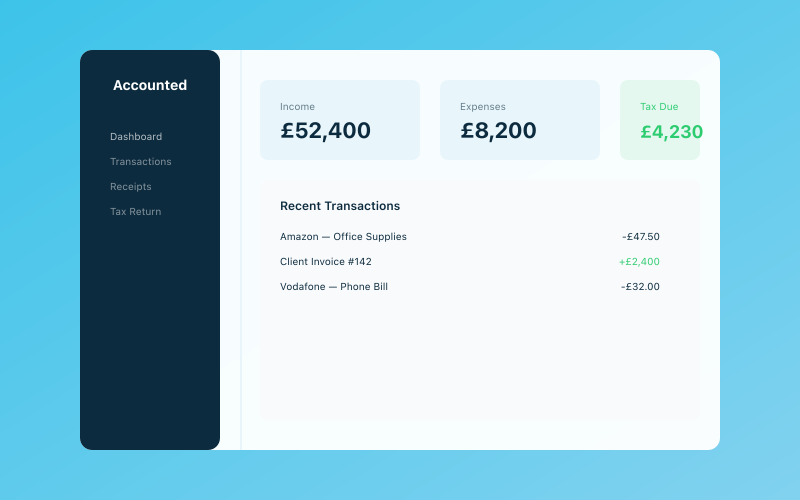 Your Accounted dashboard — income, expenses, and tax at a glance
You're Probably Undercharging
This is the big one. Most freelancers who start tracking their time discover that projects take significantly longer than they estimated. That logo design you quoted at £500, assuming it would take 10 hours? It actually took 18 hours when you include the research, initial concepts, client meetings, revisions, and file preparation. That's an effective hourly rate of £27.78 instead of the £50 you thought you were charging.
When you track your time, you get accurate data on how long different types of work actually take. This transforms your pricing from guesswork to informed decision-making. You can set prices that genuinely reflect the time investment, ensuring you're fairly compensated. Our guide on pricing your services pairs well with this — accurate time data makes pricing conversations much more confident.
You Can See Where Your Time Actually Goes
Without tracking, it's easy to assume you spend most of your time on billable client work. In reality, most freelancers are shocked to discover how much time goes to non-billable activities: admin, marketing, emails, social media, research, professional development, and the various interruptions that fragment the working day.
A common finding is that freelancers only spend 50-60% of their working hours on billable tasks. The rest is overhead. Once you know this ratio, you can make informed decisions about how to improve it — perhaps by automating your admin or being more ruthless about how you spend non-billable time.
It Makes Invoicing Straightforward
If you bill by the hour, accurate time tracking eliminates the end-of-month scramble to remember what you did and for how long. Your tracked time becomes your invoice line items. No guessing, no under-billing, no awkward conversations with clients about disputed hours.
Even if you charge fixed project rates rather than hourly, time tracking still supports invoicing by helping you create detailed breakdowns of work completed — which many clients appreciate for transparency and trust.
It Reveals Unprofitable Clients
Not all clients are equally profitable. Some have straightforward requirements, quick approval processes, and minimal revisions. Others require extensive hand-holding, change their minds frequently, and take weeks to provide feedback (during which the project sits in limbo, occupying mental space).
Time tracking across clients reveals who's genuinely profitable and who's quietly draining your resources. With this data, you can make strategic decisions about which relationships to invest in and which to reconsider — or where a price increase is overdue. Our guide on raising your prices covers how to have that conversation.
It Improves Estimates
The more historical data you have, the better your estimates become. If you've tracked three website projects and they averaged 45 hours each, you can quote the fourth one with genuine confidence. Over time, your estimates become increasingly accurate, which means fewer projects that run over budget and fewer difficult conversations with clients about additional costs.
Common Objections (and Why They Don't Hold Up)
"It's Too Time-Consuming"
This is the most common objection, and it's largely a myth. Starting and stopping a timer takes less than five seconds. Even manual time logging, done at the end of each day, takes no more than five minutes. Compare that with the hours you waste on inaccurate pricing, inefficient working patterns, and end-of-month invoice guesswork, and the return on investment is enormous.
"It Feels Restrictive"
Some freelancers worry that tracking time will make work feel like a corporate job — all timesheets and accountability. But time tracking isn't about surveillance or punishment. It's a tool for self-knowledge. Nobody is checking up on you. The data is for your benefit, to help you make better decisions about how you spend your time.
"I Don't Bill by the Hour"
Even if you charge fixed project rates, time tracking is valuable. It tells you your effective hourly rate on each project (total fee divided by total hours), which is the number that actually matters for your profitability. A £3,000 project sounds great — until you discover it took 100 hours, giving you an effective rate of £30 per hour.
"I'll Forget to Track"
This is a legitimate concern, but it's a habit problem, not a fundamental flaw with time tracking. Like any habit, it takes a few weeks to become automatic. Start with just tracking your biggest projects and expand from there. Most time tracking apps have desktop notifications and reminders to help you build the habit.
How to Get Started
Choose Your Tool
You don't need anything fancy. Here are the main options:
Dedicated time tracking apps — Toggl Track and Clockify are both excellent, both have generous free plans, and both work across web, desktop, and mobile. They let you create projects and clients, start and stop timers with one click, and generate detailed reports.
Built-in tracking — Some project management tools (like Asana, ClickUp, and Notion) include basic time tracking features. If you're already using one of these, it might make sense to track time within the same platform.
Manual logging — A simple spreadsheet or even a notebook works perfectly well. Create columns for date, client, project, task description, and hours. Fill it in at the end of each day. It's not as slick as a dedicated app, but it gets the job done.
The Pomodoro method — If you struggle with focused work, the Pomodoro technique (25 minutes of focused work followed by a 5-minute break) doubles as a time tracking system. Each Pomodoro is a unit of time you can log against a project.
Set Up Your Categories
Before you start tracking, decide on your categories. At minimum, you want to distinguish between:
- Billable client work — the core work you're paid to do
- Client admin — emails, meetings, and project management related to specific clients
- Business admin — bookkeeping, tax preparation, invoicing, filing
- Marketing — social media, networking, content creation, pitching
- Professional development — training, reading, courses
- Personal — breaks, personal tasks during work hours (being honest about this is important for accurate data)
Start Simple
Don't try to track every minute of every day from day one. That's overwhelming and you'll give up within a week. Instead, start by tracking just your billable work for the first two weeks. Once that's habitual, expand to include admin and marketing. Gradually build up to a comprehensive picture.
Review Weekly
Set aside 15 minutes at the end of each week to review your tracked time. Ask yourself:
- How many hours did I work in total?
- What percentage was billable?
- Which projects or clients took more time than expected?
- Where did I lose time to inefficiency or distraction?
- Am I working too many hours? Too few?
This weekly review is where the real value of time tracking emerges. Without reflection, the data is just numbers. With reflection, it becomes insight.
What to Do With Your Data
Adjust Your Pricing
After a month or two of tracking, calculate your effective hourly rate for each type of project. If it's lower than your target rate, your prices need to go up or your process needs to become more efficient. Use this data to set prices for future projects with confidence.
Identify Time Drains
Look for patterns in your non-billable time. Are you spending three hours a week on bookkeeping? That could be reduced to 30 minutes with the right tools — Penny in Accounted, for instance, can handle transaction categorisation automatically. Are you spending two hours a day on email? That might be a sign you need better communication boundaries.
Optimise Your Schedule
Time tracking data often reveals that you're most productive at certain times of day. Perhaps your best creative work happens between 9am and noon, while afternoons are better suited to admin and meetings. Once you know this, you can schedule your day to match your energy, putting the most demanding work in your most productive hours.
Set Realistic Capacity
Knowing how many billable hours you can realistically deliver per week is essential for avoiding overcommitment. If your data shows you consistently deliver 20 billable hours per week (with the rest going to admin, marketing, and breaks), that's your capacity. Don't take on 30 hours of work and wonder why you're burning out.
Improve Client Communication
When you have clear data on how time is being spent, conversations with clients become much easier. If a client questions your invoice, you can provide a detailed breakdown. If a project is running over budget, you can flag it early with evidence rather than vague feelings. This professionalism builds trust.
Making Time Tracking a Long-Term Habit
The freelancers who get the most value from time tracking are the ones who stick with it long-term. Here's how to make it sustainable:
Keep it visible. Pin your time tracking app to your taskbar or keep a timer widget on your desktop. Out of sight, out of mind.
Don't aim for perfection. If you forget to track for a day, estimate and move on. Some data is infinitely better than no data. Don't let the pursuit of perfect tracking become a reason to stop tracking altogether.
Celebrate the insights. When time tracking reveals something useful — a project type that's more profitable than you realised, or an admin task that's consuming way too much time — act on it. The more you see the practical benefits, the more motivated you'll be to continue.
Reassess your system quarterly. Are your categories still relevant? Is your tool still the best fit? Do you need more or less granularity? A quarterly check-in keeps your system aligned with your actual needs.
Time Is Your Most Valuable Asset
As a freelancer, time is literally money. Every hour you spend is either generating income directly, supporting your business indirectly, or being wasted. Without tracking, you can't tell which is which. With tracking, you have the data to make informed decisions that improve your pricing, your productivity, and your quality of life.
It's a small habit with an outsized impact. Give it a month, and you'll wonder how you ever ran your business without it.
Related reading:
- How to Automate Your Admin So You Can Focus on Your Craft
- Pricing Your Services — A Complete Guide
- The Best Free Tools for Small Businesses in 2026
Accounted helps UK sole traders stay on top of their bookkeeping and tax. Start your free 30-day trial at getaccounted.co.uk
Related Reading
Business & Operations Advisors
Our business advisors cover the practical side of running a UK sole trader business — from HMRC registration to managing growth. Content is written for real business owners in plain English, not accountants.
Ready to try Accounted?
Join UK sole traders who are simplifying their bookkeeping and tax.
Start your 14-day free trial