Can I Claim for a New Laptop as a Business Expense?
A laptop is one of the most essential tools for modern business. Whether you're a freelance designer, a self-employed consultant, a sole trader running an online shop, or pretty much anyone who works for themselves, chances are you rely on a laptop to get things done. So when it's time to buy a new one, the question is natural: can I claim it as a business expense?
The short answer is yes — but the way you claim it depends on how you use the laptop and how much it costs. In this guide, we'll explain the rules, walk you through the different methods of claiming, and help you get the maximum tax relief.
The Basics: Capital Expenditure vs. Revenue Expenditure
When you buy a laptop for your business, it's treated as capital expenditure rather than a revenue expense. In simple terms, capital expenditure is spending on assets that have a lasting value (usually more than a year), whereas revenue expenditure covers day-to-day running costs.
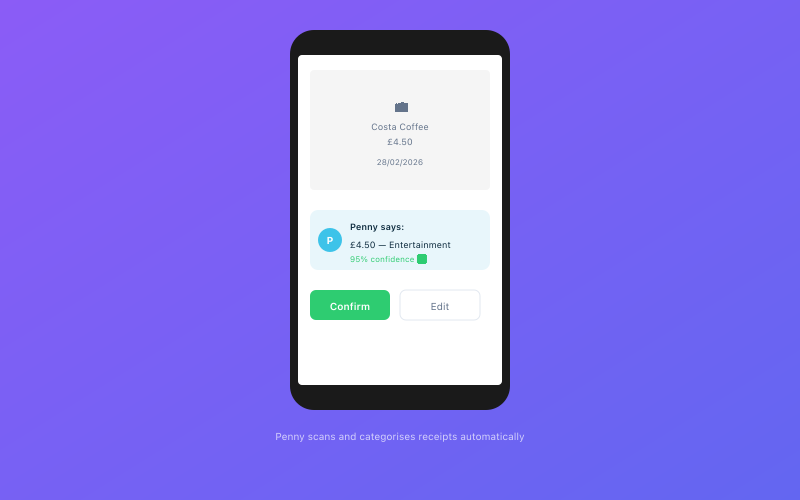 Penny scans and categorises your receipts automatically via WhatsApp
This distinction matters because capital expenditure is claimed differently from ordinary expenses. Instead of deducting the full cost from your profits as a simple expense, you claim tax relief through capital allowances.
Don't let the terminology put you off — in practice, the result is often the same: you get to deduct the full cost of the laptop from your taxable profits. It's just processed through a different part of your tax return.
The Annual Investment Allowance (AIA)
The most common way to claim for a laptop is through the Annual Investment Allowance (AIA). The AIA currently allows you to claim 100% of the cost of qualifying equipment in the year you buy it, up to a limit of £1,000,000 per year.
For sole traders buying a laptop — even a high-end one — you'll be well within the AIA limit. Whether your laptop costs £300 or £3,000, you can deduct the entire amount from your taxable profits in the year of purchase.
The AIA covers "plant and machinery," which includes computers, laptops, tablets, monitors, printers, and other technology equipment. It also covers furniture, tools, vehicles (with some restrictions), and many other business assets. For a full explanation of how the AIA works, see our guide on capital allowances and the Annual Investment Allowance.
How the Tax Saving Works
Let's say you buy a laptop for £1,200 and you're a basic-rate taxpayer (20% income tax). By claiming the £1,200 through the AIA, you reduce your taxable profits by £1,200. This saves you:
- £240 in income tax (20% of £1,200)
- Plus £108 in Class 4 National Insurance (9% of £1,200, assuming profits between £12,570 and £50,270)
That's a total saving of £348 — nearly a third of the purchase price. If you're a higher-rate taxpayer (40%), the income tax saving alone would be £480.
Remember, the personal allowance for the 2025/26 tax year is £12,570. You only pay income tax on profits above this threshold, so capital allowances are most valuable when your profits are above the personal allowance.
What If I Use the Laptop for Both Business and Personal Use?
Most sole traders use their laptop for a mix of business and personal activities. You might spend the day working on client projects, then switch to personal email, streaming, or online shopping in the evening.
HMRC recognises this and allows you to claim the business proportion of the cost. There's no fixed rule about what percentage is acceptable — it depends on your actual usage.
Common approaches include:
- Estimating a percentage based on hours of use. If you use the laptop 40 hours a week for business and 10 hours for personal use, you could claim 80%.
- Keeping a usage log for a representative period (say, a month) to establish a fair split.
- Being realistic. HMRC won't challenge a reasonable split, but claiming 100% when you clearly use the laptop for personal Netflix sessions every evening might raise eyebrows.
Many sole traders claim 75%-90% business use for their main work laptop, and HMRC generally accepts this provided it's reasonable. If you have a separate personal computer and only use the business laptop for work, claiming 100% is perfectly justifiable.
Claiming Accessories and Peripherals
When you buy a new laptop, you'll often pick up accessories at the same time — a case, a mouse, a keyboard, an external monitor, a docking station, a webcam. These are all claimable as business expenses.
Smaller items (typically under £100-£200) can often be claimed as revenue expenses rather than capital expenditure. This means they go straight into your expenses without needing to use capital allowances. There's no strict threshold, but HMRC generally accepts that low-cost consumables and accessories are revenue items.
More expensive peripherals — a £500 monitor, for example — would usually be treated as capital expenditure and claimed through the AIA, just like the laptop itself.
Software is treated differently again. Annual software subscriptions (Microsoft 365, Adobe Creative Cloud, accounting software like Accounted) are revenue expenses — you claim them as a regular business cost in the year you pay for them. One-off software purchases may be capital or revenue depending on the cost and nature of the software.
The Writing-Down Allowance Alternative
While the AIA lets you claim 100% in year one, there's an alternative method called the writing-down allowance (WDA). Under this method, you claim a percentage of the remaining value each year, spreading the tax relief over the asset's useful life.
For most sole traders buying a laptop, the AIA is the better option because you get the full relief immediately. The WDA is mainly relevant if you've somehow exceeded the £1,000,000 AIA limit (unlikely for a sole trader) or if you want to spread the tax relief for cash flow reasons.
The main pool WDA rate is 18% per year on a reducing-balance basis. So a £1,000 laptop would give you £180 relief in year one, then £147.60 in year two (18% of £820), and so on. Clearly, the AIA's 100% upfront relief is preferable in almost every situation.
Other Considerations
When you buy your laptop can affect when you get the tax relief. Capital allowances (including the AIA) are claimed in the tax year you incur the expenditure — which generally means the year you pay for the asset.
If you're approaching the end of the tax year (5 April) and you know you'll need a new laptop soon, buying it before 5 April means you can claim the relief on that year's tax return. Waiting until after 5 April pushes the claim into the following tax year.
This isn't about gaming the system — it's simply about being aware of the timing so you can plan your cash flow effectively. If you're expecting higher profits this year than next, claiming the laptop this year gives you more valuable tax relief.
Leasing vs. Buying
Some sole traders lease their technology rather than buying it outright. If you lease a laptop through an operating lease (where you don't own the asset), the lease payments are a revenue expense — you claim each monthly payment as a regular business cost.
This can be simpler from a bookkeeping perspective, but it often costs more in total than buying outright. The tax treatment is also different: instead of claiming the full cost upfront through the AIA, you spread the deductions over the lease period.
For most sole traders, buying a laptop and claiming through the AIA is more tax-efficient. But if cash flow is tight and you'd rather spread the cost, leasing is a legitimate option.
How Accounted Handles Laptop Claims
When you record a laptop purchase in Accounted, Penny will recognise it as a capital asset and guide you through the process. She'll ask about business vs. personal use, suggest an appropriate percentage split, and ensure the claim is processed through capital allowances on your tax return.
You don't need to understand the mechanics of capital allowances in detail — Penny handles the calculations. Just enter the purchase, answer a couple of questions, and the relief appears on your Self Assessment automatically.
This is one of the areas where having good software makes a real difference. Capital allowances can be confusing if you're doing your return manually, but with the right tool it's straightforward.
What About Repairs and Upgrades?
If your existing laptop needs a repair — a new screen, a battery replacement, a keyboard fix — the cost is a revenue expense, not capital expenditure. You can claim it as a straightforward business expense (adjusted for business use percentage).
However, if a "repair" is really an upgrade that significantly improves the asset — say, replacing a basic laptop with a much more powerful model — HMRC may treat this as new capital expenditure rather than a repair. In practice, genuine repairs (replacing like for like) are almost always revenue expenses.
Adding extra RAM or a larger hard drive to an existing laptop falls into a grey area. HMRC's guidance says that upgrades that enhance the asset beyond its original condition may be capital, but in practice, modest upgrades to existing equipment are usually treated as revenue expenses.
The Bottom Line
Buying a laptop for your business is a straightforward and legitimate expense claim. Use the Annual Investment Allowance to deduct the full cost (or business proportion) from your taxable profits in the year of purchase. Keep your receipt, note the business use percentage, and make sure it's recorded properly in your accounts.
Don't forget to claim for accessories, peripherals, and software too — these all add up and reduce your tax bill.
For a full rundown of everything you can claim, take a look at our complete guide to sole trader expenses.
Related Reading
Start your free trial and let Penny handle your bookkeeping automatically.
Accounted helps UK sole traders stay on top of their bookkeeping and tax. Start your free 30-day trial at getaccounted.co.uk
Accounted categorises your expenses automatically using AI, with confidence scores on every transaction. See how expenses work →
Tax & Compliance Specialists
Our tax specialists have decades of combined experience in UK sole trader and small business taxation, MTD compliance, and HMRC submissions. All content is reviewed against current HMRC guidance before publication and updated quarterly to reflect legislative changes.
Ready to try Accounted?
Join UK sole traders who are simplifying their bookkeeping and tax.
Start your 14-day free trial