MTD April 2026 Deadline: Is Your Business Ready?
Making Tax Digital for Income Tax launches on 6 April 2026. After years of delays and consultations, the start date is now weeks away. If you are a self-employed person or landlord with qualifying income above £50,000, this affects you directly. You will be legally required to keep digital records and submit quarterly updates to HMRC through compatible software.
This is not a distant future requirement. It starts this April. This guide gives you a clear, practical checklist to make sure you are ready, explains what happens if you are not, and addresses the most common mistakes people are making in the run-up to the launch.
Who Must Comply from April 2026
You are within scope of MTD for Income Tax from 6 April 2026 if your gross income from self-employment and property combined exceeded £50,000 in the 2024/25 tax year. Note carefully: this is gross income, not profit. Your total turnover and rental income before any expenses are deducted is what counts.
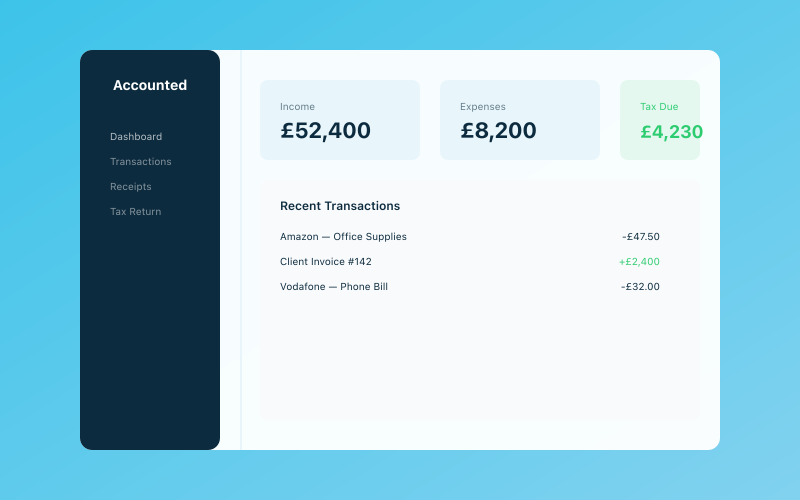 Your Accounted dashboard — income, expenses, and tax at a glance
If you have multiple income sources, they are combined. A sole trader earning £35,000 from self-employment and £20,000 from property lets has qualifying income of £55,000 and is in scope.
Who Is Not Yet Affected
If your qualifying income is between £30,000 and £50,000, your start date is April 2027. If it is below £30,000, you are not currently within scope, though the threshold may be lowered in future years. Partnerships, trusts, and companies are not included in this phase.
Your MTD Readiness Checklist
1. Confirm Whether You Are in Scope
Check your 2024/25 Self Assessment return. Add together your gross self-employment income (box 15 on the self-employment pages) and your gross property income (box 5 on the property pages). If the total is above £50,000, you are in scope.
If you are borderline, err on the side of compliance. Being caught unprepared is worse than being prepared unnecessarily.
2. Choose MTD-Compatible Software
You need software that is recognised by HMRC as MTD for Income Tax compatible. This software must be able to maintain digital records of your income and expenses, generate quarterly updates in the format HMRC requires, submit those updates directly to HMRC through their API, and produce your End of Period Statement and Final Declaration.
Accounted is fully MTD-compliant and has been tested with HMRC's systems. Unlike some solutions that require you to manually compile quarterly data, Accounted's AI bookkeeper Penny categorises transactions continuously, so your quarterly updates are ready to submit without last-minute data entry.
3. Set Up Digital Record Keeping
From 6 April 2026, you must keep your business records digitally. This does not mean scanning paper receipts and storing PDFs, though that is part of it. It means your income, expenses, and running totals must be maintained within MTD-compatible software.
If you currently use spreadsheets, you will need to either switch to compatible software or use bridging software that connects your spreadsheets to HMRC. However, bridging software adds complexity and still requires you to maintain digital records in a specific format. Most people find it simpler to use dedicated software.
4. Register for MTD for Income Tax
You need to sign up for MTD for Income Tax through your HMRC online account. This is a separate step from simply having a Self Assessment registration. When you sign up, HMRC will link your MTD obligations to your existing UTR number.
HMRC recommends signing up well before your first quarterly submission is due. Do not leave this until the last minute, as HMRC's systems can experience delays during peak periods.
5. Connect Your Bank Accounts
Most MTD software works best when connected to your business bank account through Open Banking. This allows transactions to be imported automatically, reducing manual data entry and the risk of errors. Accounted supports all major UK banks and automatically imports transactions for Penny to categorise.
6. Migrate Your Historical Data
While MTD only requires digital records from 6 April 2026 onwards, having your prior year data in your software provides useful comparisons and helps verify that your new system is capturing everything correctly. If you are switching from another tool or from manual records, import your 2025/26 data now so you can verify it before the transition.
7. Test the Process
HMRC provides a sandbox environment where software can be tested. Accounted has already been tested extensively against HMRC's systems, but you should familiarise yourself with the submission process before your first real quarterly update is due.
Log into your software, review how transactions are categorised, and generate a test quarterly summary. Identifying issues now is far better than discovering them on your first submission deadline.
The Quarterly Submission Calendar
Your first quarterly period runs from 6 April to 5 July 2026. The submission deadline for this first quarter is 7 August 2026. The full calendar for the first year is as follows.
Quarter one covers 6 April to 5 July, with a submission deadline of 7 August 2026. Quarter two covers 6 July to 5 October, with a deadline of 7 November 2026. Quarter three covers 6 October to 5 January, with a deadline of 7 February 2027. Quarter four covers 6 January to 5 April, with a deadline of 7 May 2027.
After the four quarterly updates, you submit an End of Period Statement confirming the figures are complete and accurate, followed by a Final Declaration, which replaces the traditional Self Assessment return. The Final Declaration deadline is 31 January 2028 for the 2026/27 tax year.
Common Mistakes in the Run-Up to MTD
Assuming Your Existing Software Is Compatible
Not all accounting software is MTD for Income Tax compatible. Some products that handle VAT MTD have not yet been approved for Income Tax MTD. Check HMRC's published list of compatible software, or look for explicit confirmation from your provider.
Confusing MTD for VAT with MTD for Income Tax
If you are already submitting VAT returns through MTD, you may assume you are covered. You are not. MTD for VAT and MTD for Income Tax are separate obligations with separate registrations and separate software requirements. Being compliant for one does not mean you are compliant for the other.
Thinking You Can Continue with Spreadsheets Alone
Spreadsheets are not MTD-compatible on their own. You would need bridging software to connect them to HMRC, and your spreadsheet would need to follow specific formatting rules. For most people, this approach is more effort than using dedicated software.
Waiting Until the First Deadline
If you set up your software on 1 August and try to reconstruct three months of records before the 7 August deadline, you are going to have a stressful week. Start on 6 April, or better yet, start now with your current year records to get comfortable with the process.
Ignoring the Digital Records Requirement
Some people think MTD just means submitting quarterly data. It also means keeping those underlying records digitally. HMRC can request to see your digital records, and they must be maintained throughout the year, not just compiled at submission time.
What Happens If You Are Not Ready
HMRC has confirmed a soft landing period for the first year, meaning penalties for late submissions will not be imposed provided you are making a genuine effort to comply. However, this is not a free pass. If you make no attempt to comply, HMRC can and will apply penalties under the new points-based penalty system.
Under this system, you receive a point for each late submission. For quarterly submissions, four late submissions trigger a £200 penalty, with further penalties for each subsequent late submission. Interest charges on any late payments apply from day one regardless of the soft landing.
Why Accounted Makes MTD Simple
Accounted was designed from the ground up for MTD compliance. Rather than bolting MTD features onto existing software, every aspect of Accounted's design assumes quarterly digital reporting as the default.
Penny categorises every transaction as it arrives, applies confidence scores so you know which categorisations need your review, and prepares your quarterly summary for submission. When the deadline approaches, you review, confirm, and submit directly from Accounted to HMRC. The entire process takes minutes rather than hours.
For accountants managing multiple clients, Accounted's free accountant portal provides an exception-first workflow. Instead of reviewing every transaction for every client, you see only the items Penny has flagged as needing attention. This reduces review time dramatically and makes managing a large client base through MTD transition practical.
Start your free trial of Accounted today and be fully MTD-ready before 6 April. With the deadline now weeks away, the time to act is now.
Related Reading
See how Accounted handles MTD and start your free trial.
Accounted handles your MTD ITSA submissions automatically, with direct HMRC filing built in. See how MTD works in Accounted →
Tax & Compliance Specialists
Our tax specialists have decades of combined experience in UK sole trader and small business taxation, MTD compliance, and HMRC submissions. All content is reviewed against current HMRC guidance before publication and updated quarterly to reflect legislative changes.
Ready to try Accounted?
Join UK sole traders who are simplifying their bookkeeping and tax.
Start your 14-day free trial