Digital Record Keeping: What HMRC Expects Under MTD
It's Not Just About Going Paperless
When most people hear "digital record keeping," they think it means scanning their receipts and saving them on their laptop. Under Making Tax Digital, it means quite a bit more than that.
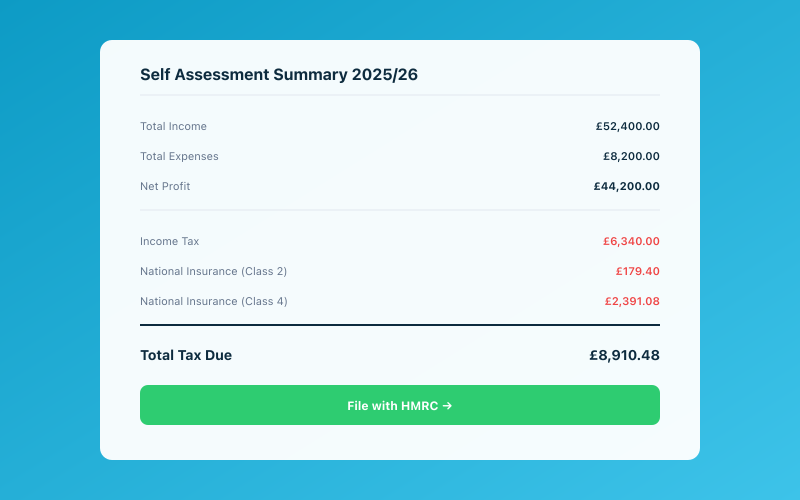 Your Accounted dashboard shows your real-time tax position
HMRC has specific requirements about what records you must keep, how they must be stored, and — crucially — how data must flow between different parts of your system. Get it wrong, and you could face penalties even if you've filed everything on time.
Let's walk through exactly what HMRC expects, so you can get it right from the start.
What Counts as a "Digital Record"?
A digital record, in HMRC's view, is a record maintained within MTD-compatible software. It's not a PDF on your desktop. It's not a photo in your camera roll. It's not a beautifully formatted spreadsheet — unless properly linked to submission software.
For a record to be "digital" under MTD, it needs to be:
- Stored within or connected to compatible software that can submit to HMRC's API
- Structured data — the software can read and process the figures, not just display them
- Digitally linked to the submission process (more on this below)
Each transaction — every sale, purchase, and expense — needs to exist as a proper data entry in your MTD software, not just a file in a folder.
The Digital Link Requirement
This is the rule that trips people up the most. Under MTD, there must be a digital link at every point in the chain from your original record to your HMRC submission. A digital link means data is transferred or exchanged electronically between software programs, products, or applications without manual intervention.
Put simply: no re-typing.
If you record a sale in one system and then manually type the figure into another system for submission, that chain is broken. The digital link is gone, and you're not compliant.
What's acceptable: transactions flowing from your bank into bookkeeping software, CSV or API exports between tools, copy-paste within a spreadsheet, and automatic software integrations.
What's not acceptable: looking at a figure on one screen and typing it into another, printing reports and re-keying numbers, or manually calculating totals for your quarterly update forms.
This is why bridging software can be problematic — if data doesn't flow automatically between your spreadsheet and bridging tool, any manual step breaks compliance.
What Records You Must Keep
HMRC requires you to maintain digital records of the following for each transaction:
For Income and Expenses
For every transaction — both income (sales) and expenses (purchases) — you must record:
- Date of the transaction
- Amount received or paid
- Category — the income source or expense type (matching HMRC's self-employment categories)
Customer and supplier names aren't strictly required for MTD, but they're good practice for your own reference and for your accountant.
Summary Data
Your software needs to generate summary totals for each quarterly submission: total income and total expenses by category. These aggregated figures are what get submitted to HMRC — not individual transactions.
What About Receipts?
MTD doesn't specifically require digital copies of receipts — just digital records of the transactions. However, HMRC's general rules still expect you to keep evidence (receipts, invoices, bank statements) in case of an enquiry. The smart move is to capture receipts digitally as you go. It's far easier than hunting for paper receipts years later.
How Long to Keep Records
Under HMRC rules, you must keep your records for at least 5 years after the 31 January submission deadline for the relevant tax year.
Let's work through an example. For the 2026/27 tax year (6 April 2026 to 5 April 2027), your final declaration deadline would be 31 January 2028. You'd need to keep records until at least 31 January 2033.
That's a long time. If you're keeping paper records, that's years of shoeboxes. If you're keeping digital records in proper software, it's just data sitting securely on a server, costing you nothing to store and instantly searchable if you ever need it.
This is one of the genuinely practical advantages of going digital: storage is essentially free, and finding a specific transaction from three years ago takes seconds instead of hours.
Acceptable Formats and Storage
HMRC doesn't prescribe exactly which software you must use. What matters is that:
- Records are kept in a digital format within compatible software
- The digital link chain is maintained from record to submission
- Records are accurate and complete
- You can produce them for HMRC if asked during an enquiry
Cloud-based software is perfectly acceptable — in fact, it's preferable because it handles backups automatically. If you're using desktop software, make sure you have a backup strategy. Losing your bookkeeping data to a hard drive failure could leave you unable to prove your figures to HMRC.
Common Record-Keeping Mistakes
Here are the mistakes we see most often:
Mixing personal and business transactions. If you use the same bank account for both, you'll need to separate the business ones carefully. A dedicated business account makes this vastly easier.
Leaving categorisation until the deadline. Under MTD, you're submitting quarterly. Dumping three months of uncategorised transactions the night before is a recipe for errors. Even ten minutes a week keeps everything current.
Forgetting cash transactions. Cash payments won't appear in your bank feed. You need to record them manually — HMRC expects a complete picture.
Not keeping mileage records. If you claim mileage, you need contemporaneous records — date, destination, purpose, and miles driven, logged at the time of the trip.
Relying on memory. "I'll remember what that payment was for" is the most expensive sentence in bookkeeping. Categorise transactions when the context is fresh.
How Accounted Creates Compliant Digital Records Automatically
Accounted is designed to handle the record-keeping requirements of MTD without you having to think about compliance rules.
Bank transactions sync automatically — every transaction becomes a structured digital record with the date, amount, and category HMRC requires. The digital link is maintained because data flows from your bank, through categorisation, and into your submission. No re-typing, no gaps.
Receipts are even simpler. Snap a photo and send it to Penny via WhatsApp. She extracts the details, categorises the expense, and matches it to the bank transaction. The receipt image is stored alongside the record, satisfying both MTD and HMRC's general evidence-keeping rules.
Cash transactions can be logged via WhatsApp too — tell Penny what you spent and she creates the digital record.
Everything is stored securely in the cloud, backed up automatically, and kept for as long as you need it. When HMRC requires records going back five years, they'll be there — instantly searchable, neatly categorised, and fully compliant.
If you want to understand how MTD works overall, we've got a comprehensive guide. But if digital record keeping was the bit worrying you most, we hope this has made it clearer. The rules are detailed, but with the right software, compliance happens in the background while you get on with running your business.
Ready to simplify your bookkeeping? Try Accounted free for 14 days →
Related Reading
- The Making Tax Digital Deadline — A Clear, Simple Guide
- MTD and Excel — Can You Still Use Spreadsheets?
See how Accounted handles MTD and start your free trial.
Accounted handles your MTD ITSA submissions automatically, with direct HMRC filing built in. See how MTD works in Accounted →
Tax & Compliance Specialists
Our tax specialists have decades of combined experience in UK sole trader and small business taxation, MTD compliance, and HMRC submissions. All content is reviewed against current HMRC guidance before publication and updated quarterly to reflect legislative changes.
Ready to try Accounted?
Join UK sole traders who are simplifying their bookkeeping and tax.
Start your 14-day free trial