Setting Up a Home Office on a Budget
There's a particular genre of home office content online that features standing desks with built-in cable management, ultrawide monitors, ergonomic chairs that cost more than a used car, and tasteful succulents arranged just so. It's lovely to look at. It's also completely unhelpful if you're a sole trader watching every penny.
The good news is that a productive home office doesn't require an Instagram-worthy setup. What it requires is thoughtfulness — knowing what actually matters, where to save, and where to spend. You can create a genuinely excellent workspace for a fraction of what those YouTube videos suggest.
Here's how to do it properly, without emptying your bank account.
Start With What You Actually Need
Before you buy anything, sit down and think about what you actually do all day. This sounds obvious, but most people skip it and end up either over-spending on things they don't need or under-investing in things they do.
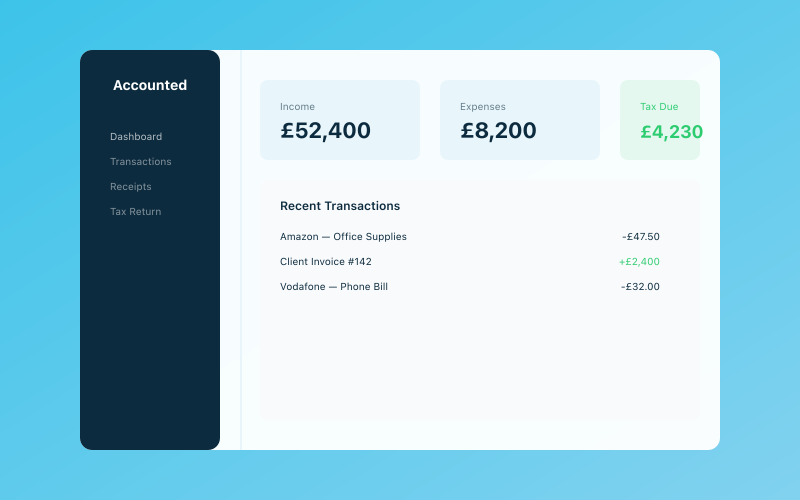 Your Accounted dashboard — income, expenses, and tax at a glance
If you're a writer, copywriter, or virtual assistant, your needs are relatively simple: a decent laptop, a comfortable chair, good lighting, and a quiet space. If you're a graphic designer or video editor, you'll need a better monitor and possibly more computing power. If you take client calls all day, a good microphone and webcam matter more than a fancy desk.
Make a list of your actual daily activities and work backwards from there. What equipment does each activity require? What do you already own that does the job? What's genuinely missing?
The biggest waste of money in home office setups isn't buying cheap things — it's buying expensive things you don't actually need.
The Chair: Spend Here (But Be Smart About It)
If there's one item worth investing in, it's your chair. You're going to sit in it for hours every day, and a bad chair doesn't just make you uncomfortable — it can cause genuine back problems that affect your ability to work.
That said, "invest" doesn't have to mean spending £800 on a Herman Miller. Here are some budget-friendly approaches:
Second-hand office furniture. When companies downsize or close offices, their furniture often ends up on eBay, Facebook Marketplace, or specialist resellers. You can find high-quality ergonomic chairs for a third of the retail price. Look for brands like Steelcase, Humanscale, or HAG — they're built to last and still have plenty of life in them second-hand.
Refurbished options. Several UK companies sell refurbished office chairs with warranties. You'll pay more than Marketplace prices but get peace of mind about quality.
Budget ergonomic chairs. If buying new, look at options in the £150-250 range from companies that focus on ergonomics without the premium branding. Read reviews carefully — adjustable lumbar support and seat height are the features that matter most.
Whatever you do, don't work from a dining chair, a sofa, or your bed for extended periods. Your body will make you pay for it eventually.
The Desk: Keep It Simple
Unless you have specific requirements, you don't need an expensive desk. You need a flat surface at the right height with enough space for your equipment.
The IKEA LAGKAPTEN/ADILS combination (a tabletop on basic legs) costs around £40-60 and gives you a perfectly serviceable desk. It's not glamorous, but it works. If you want something more robust, IKEA's BEKANT range or similar options from office furniture outlets offer more durability without the premium price tag.
Standing desks are lovely but expensive. If you want to try standing while working, a cheaper option is a standing desk converter — a platform that sits on top of your existing desk and raises your laptop or monitor to standing height. You can find decent ones for £80-150, and they let you switch between sitting and standing without committing to a full standing desk.
Also worth considering: do you even need a traditional desk? Some people work perfectly well from a kitchen table, a console table, or a wide shelf mounted to the wall. If space is limited, a fold-down wall desk can be an excellent solution — it gives you a workspace when you need it and disappears when you don't.
Lighting: The Upgrade Nobody Thinks About
Lighting is the most underrated element of a home office, and it's one of the cheapest to fix.
Poor lighting causes eye strain, headaches, and fatigue. If you're squinting at your screen all day because your room is too dim, or battling glare because you're facing a window, your productivity is suffering whether you realise it or not.
Natural light is ideal. If possible, position your desk perpendicular to a window — not facing it (too much glare) and not with your back to it (poor lighting on your screen and bad for video calls). Side lighting is the sweet spot.
A good desk lamp makes an enormous difference. Look for one with adjustable brightness and colour temperature. LED desk lamps with these features are available for £20-40 and will transform your workspace. Warm light for general work, cooler light for tasks requiring focus — it's a small thing that genuinely matters.
Avoid overhead lighting as your only light source. It creates harsh shadows and is generally unflattering on video calls. Supplement it with your desk lamp and, if possible, a floor lamp or two to create more even, ambient lighting.
Technology: Where To Splurge and Where To Save
Your technology needs depend entirely on your work, but here are some general principles:
Laptop/computer: If your current one works, keep using it. Don't upgrade for the sake of upgrading. If you do need to buy, consider refurbished machines from reputable sellers — you can get a two-year-old business-grade laptop for half the price of a new consumer one, and it'll likely be better built.
Monitor: If you spend all day looking at a screen, a second monitor (or a larger external monitor) is worth considering. It doesn't need to be 4K or curved or any of that — a basic 24-inch monitor for £100-150 will do the job. The extra screen space alone will boost your productivity.
Keyboard and mouse: If you use a laptop, an external keyboard and mouse are a worthwhile investment. They're better ergonomically (you can position your screen at eye level) and more comfortable for extended use. You can get a perfectly good wireless keyboard and mouse set for £25-40.
Webcam and microphone: If you take video calls, your laptop's built-in webcam is probably adequate. If you want to upgrade, a Logitech C920 or similar can be found for around £50. For audio, a clip-on lapel mic (£15-20) makes a surprising difference to call quality.
Headphones: Noise-cancelling headphones are genuinely life-changing if you work in a noisy environment. You don't need the top-of-the-range Sony or Bose models — brands like Anker Soundcore offer solid noise cancellation for under £60.
Organisation: Tidy Space, Tidy Mind
Clutter is the enemy of focus. You don't need expensive organisational systems, but you do need some way to keep your workspace from descending into chaos.
Cable management is the easiest win. A cable tidy box (under £10) hides the mess of chargers and cables. Velcro cable ties (a few quid for a pack) keep things neat. It takes ten minutes to set up and makes your desk feel immediately more professional.
Storage depends on your space. A small filing cabinet or desktop organiser for physical documents, a hook or shelf for headphones, a tray for incoming post — simple stuff that prevents piles forming.
Go paperless where you can. The less physical paper you deal with, the less clutter you create. Scan receipts and documents with your phone. Use cloud storage for your files. Let tools like Accounted handle your bookkeeping digitally — Penny tracks your transactions and expenses automatically, so you're not drowning in paper receipts and bank statements.
Don't forget that many of these home office expenses could be tax-deductible. If you're working from home regularly, take a look at our guide to working from home expenses for 2025-26 to make sure you're claiming everything you're entitled to.
The Intangibles: What Money Can't Buy
Some of the most important elements of a productive home office are completely free:
Temperature control. Too hot and you'll be sluggish. Too cold and you'll be distracted. Find a comfortable temperature and maintain it. A fan in summer and a small heater in winter are cheap solutions if your home's heating isn't flexible enough.
Background sound. Some people need silence, others need noise. If you work better with background sound, try ambient noise apps (many are free) or lo-fi music playlists. If you need quiet, those noise-cancelling headphones earn their keep.
A door. If at all possible, work in a room with a door you can close. The ability to physically separate yourself from the rest of the house — from the washing up, the laundry, the television — is invaluable. If you don't have a spare room, even a screen or curtain that visually separates your workspace can help.
Boundaries. Let the people you live with know when you're working and when you're not. This is free, essential, and often the hardest thing on this list. We've written about setting boundaries with clients, but honestly, boundaries with the people at home matter just as much.
A Sample Budget Setup
Here's what a solid home office setup might cost if you're careful:
- Desk (IKEA or similar): £40-80
- Chair (second-hand ergonomic): £100-200
- Desk lamp (LED, adjustable): £25-40
- External monitor (24-inch): £100-150
- Keyboard and mouse set: £25-40
- Cable management: £10-15
- Notebook and pens: £10
Total: approximately £310-535
That's a fully functional, comfortable home office for roughly the cost of a month's coworking membership. And remember, some of these costs can be claimed as business expenses, reducing your tax bill. Accounted makes tracking those expenses straightforward — just snap a photo of your receipt and Penny does the rest.
You can always upgrade later as your business grows. The point isn't to have the perfect setup from day one. The point is to have a setup that works, that you can afford, and that doesn't give you a bad back.
If you're keen to automate more of your admin as a sole trader, that's another way to make your home office work harder without spending more money. The less time you spend on manual tasks, the more your workspace — however modest — pays for itself.
Related reading:
- Working From Home Expenses 2025-26
- Setting Boundaries with Clients — A Complete Guide
- How to Automate Your Admin as a Sole Trader
Accounted helps UK sole traders stay on top of their bookkeeping and tax. Start your free 30-day trial at getaccounted.co.uk.
Related Reading
- Back to School — A Freelancer's Guide to Refocusing in September
- How to Stop Procrastinating on Your Admin
Start your free trial and see how Accounted simplifies your bookkeeping.
Business & Operations Advisors
Our business advisors cover the practical side of running a UK sole trader business — from HMRC registration to managing growth. Content is written for real business owners in plain English, not accountants.
Ready to try Accounted?
Join UK sole traders who are simplifying their bookkeeping and tax.
Start your 14-day free trial